Transcription that never leaves your phone.
Record or import a conversation and Vocatim turns it into text, tells apart who spoke, and writes a summary — entirely on your device, even offline.
Pay once. No subscription. No account. Nothing uploaded.
What it does
Everything happens on your device
No cloud, no server, no sign-up. Your conversations stay yours.
Fully on-device & offline
Audio, transcripts and summaries are processed and stored locally. Works on a plane with no signal.
Knows who spoke
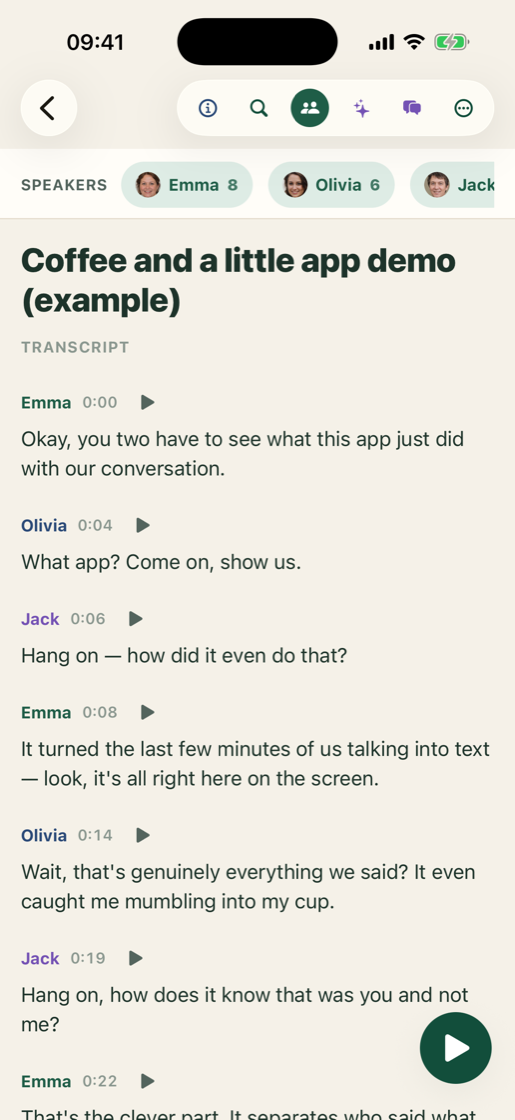
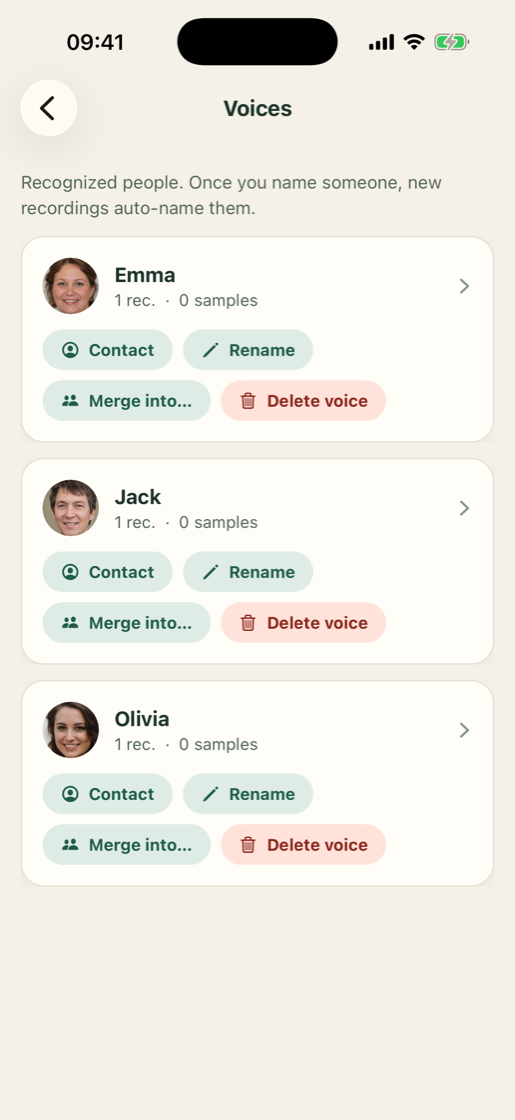
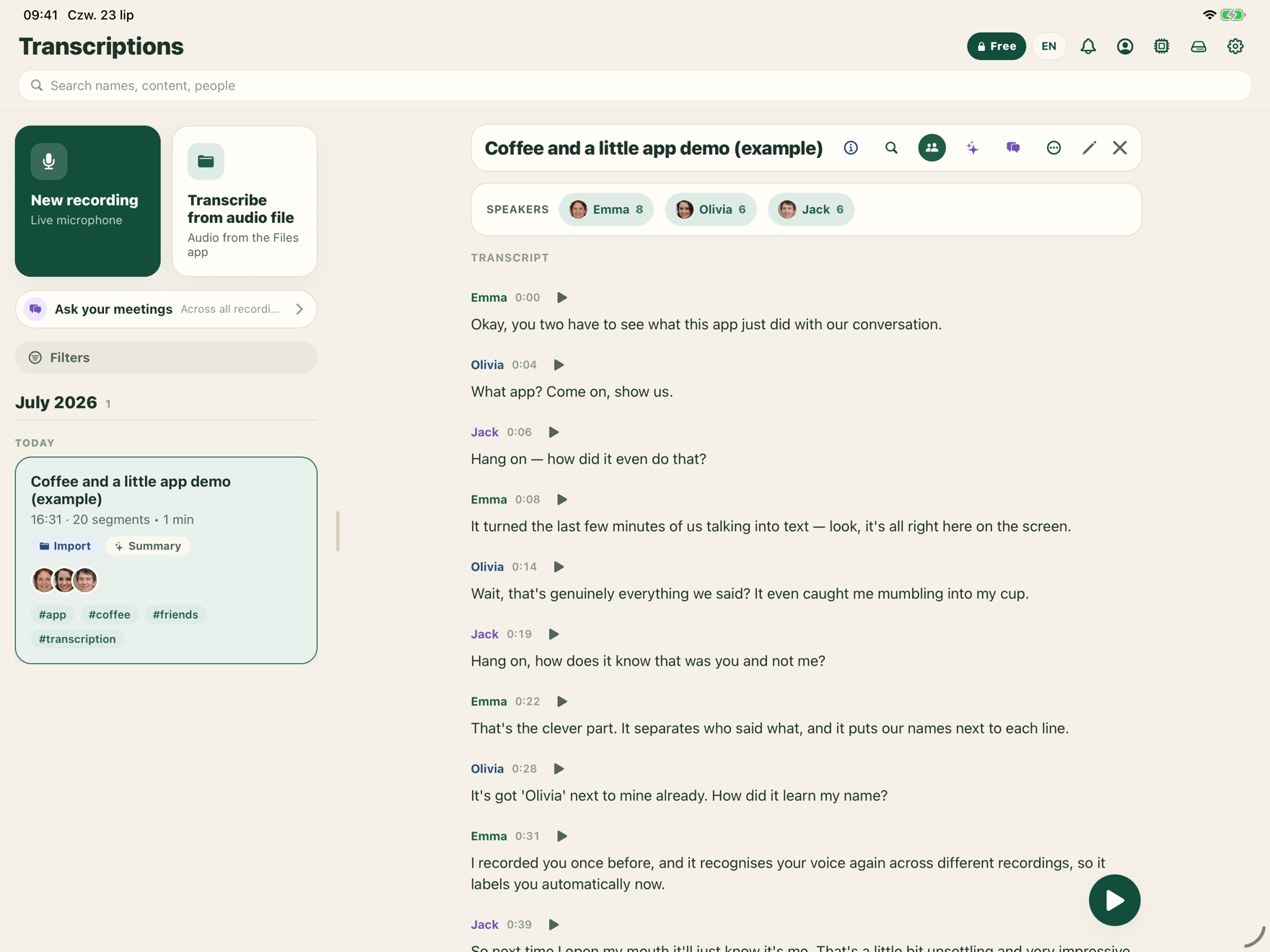
Separates speakers, labels each by name, and recognises the same voice across your recordings.
AI summaries & chat
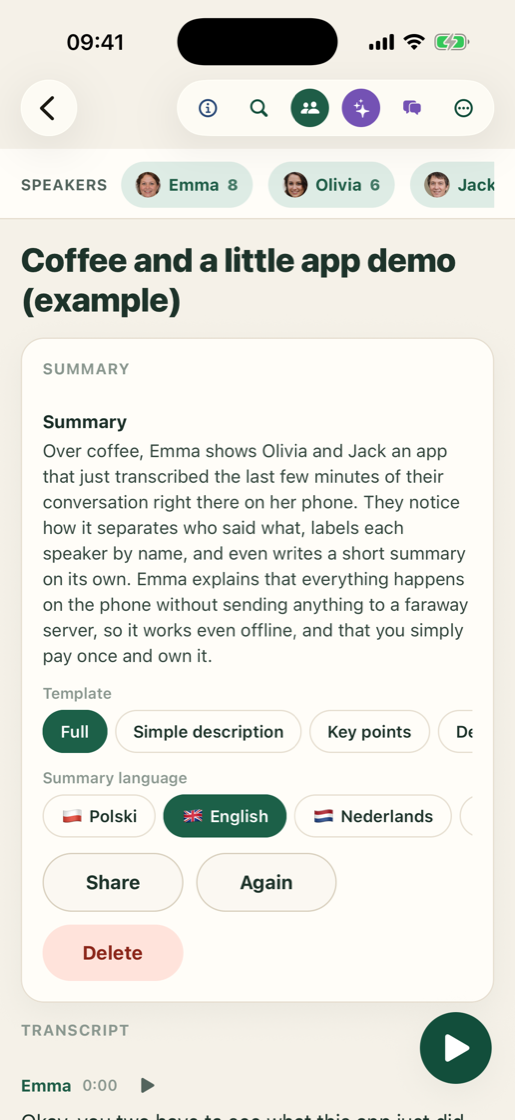
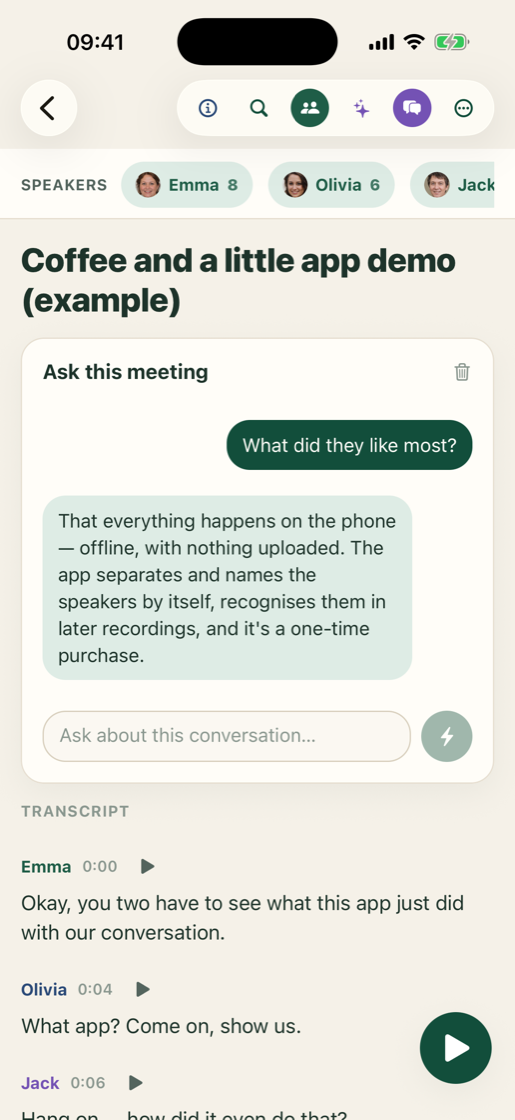
A local AI writes a short summary and answers questions about your meeting — no data leaves the device.
Record or import
Use the microphone, pick an audio file, or share a memo straight from Voice Memos.
Eight languages
Interface and transcription in Polish, English, Dutch, German, French, Spanish, Italian and Portuguese.
Pay once
A single purchase unlocks everything forever. No subscription, ever.
A look inside
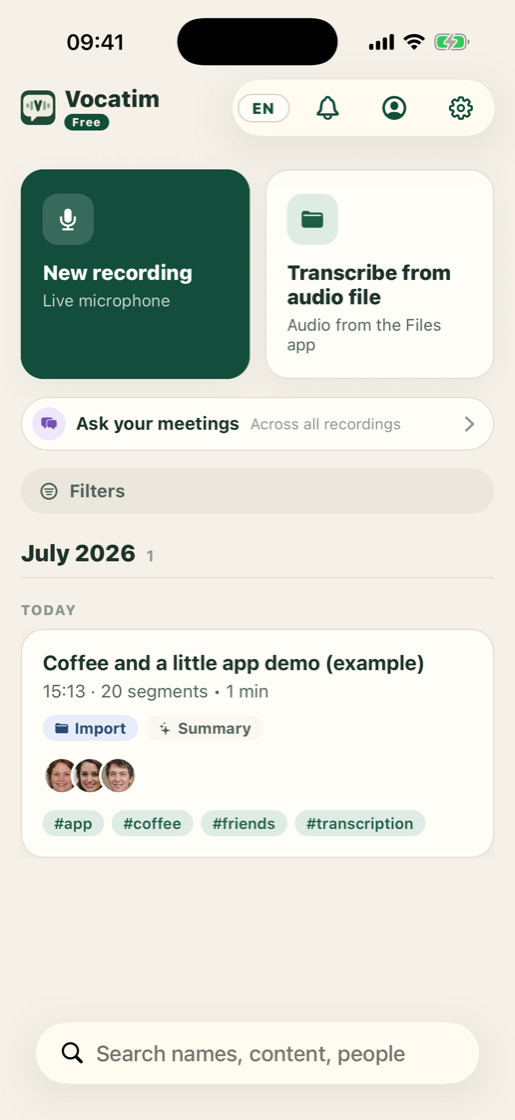
See Vocatim in action
A few minutes, the whole conversation — transcript, speakers and summary, all on your phone.
How it works
Three steps
Record or import
Capture live from the mic, or bring in a file or a voice memo.
Transcribe & label
Vocatim writes the text and separates speakers on your device.
Summarise & search
Get a summary, ask questions, and search across every recording.
Your Mac as the engine
Record on iPhone, let your Mac do the heavy lifting
With Vocatim open on both devices, your phone can hand a recording to your Mac, which transcribes it with bigger, more accurate models and sends the transcript straight back. The hand-off happens over your own Wi-Fi or your own iCloud — never through anyone's server.
Pair by signing in
Install Vocatim on your iPhone and your Mac with the same iCloud account. They find each other automatically — no setup, no codes.
Send a recording
Tap "Transcribe on computer" — or make it the default after every recording. On the same network it travels directly and encrypted; away from home it goes through your own iCloud.
Get the transcript back
The Mac transcribes with its larger models, separates the speakers, and the finished transcript lands back on your phone with a notification.
Your conversations stay yours
Vocatim has no backend and no account. Nothing is uploaded to us — there is no “us” to upload to. Optional sync uses your own iCloud, which only you can read.
PrivacyPricing
One price, forever
One-time purchase. Try the first 5 minutes of any recording for free.
Ready to try it?
Download Vocatim and transcribe your first conversation in minutes.
Download on theApp Store